A UPS (Uninterruptible Power Supply) system is a must-have for businesses and homes that need backup power. But your UPS is only as good as the battery that powers it. Without a well-maintained UPS battery, your system can fail when you need it the most.
That’s why taking care of your UPS battery maintenance is so important.
At Right Power Technology, you can find high-quality UPS batteries that are built to last. But even the best battery needs proper care to perform well over time.
In this blog, we’ll walk you through simple, effective maintenance tips that will help extend the life of your UPS battery. These tips are easy to follow, don’t require special tools, and can save you money in the long run.
What Is UPS Battery Maintenance?
A UPS battery is the heart of a UPS system. It provides backup power when the main power supply fails. This gives you time to save your work, shut down your equipment safely, or keep critical systems running.
UPS batteries come in different types, but the most common are:
- VRLA (Valve Regulated Lead Acid): Also called sealed lead-acid batteries, these are maintenance-free.
- Lithium-ion: These last longer and are more compact but cost more.
- Flooded lead-acid: These require regular maintenance and are usually used in large setups.
No matter the type, every UPS battery needs proper care to stay reliable.
Why Maintenance Matters
A UPS battery doesn’t last forever. Most batteries have a lifespan of 3 to 5 years. But poor maintenance can shorten that time.
Here’s what can happen if you don’t take care of your UPS battery:
- It loses capacity and can’t provide enough power.
- It fails suddenly during a power outage.
- It overheats and becomes a fire risk.
- You end up spending more on repairs and replacements.
The good news is that a few simple steps can keep your battery healthy and help it last longer.
1. Keep the Battery in a Cool Environment
Heat is the enemy of batteries. The higher the temperature, the faster a battery ages.
For every 15°F increase above 77°F (25°C), the battery’s lifespan can be cut in half.
Tips:
- Install your UPS in a well-ventilated room.
- Keep it away from heat sources like sunlight, heaters, or servers.
- Use air conditioning or fans if the area gets too warm.
Right Power Technology designs their UPS battery to handle heat better, but proper ventilation still makes a big difference.
2. Regularly Check the Battery Status
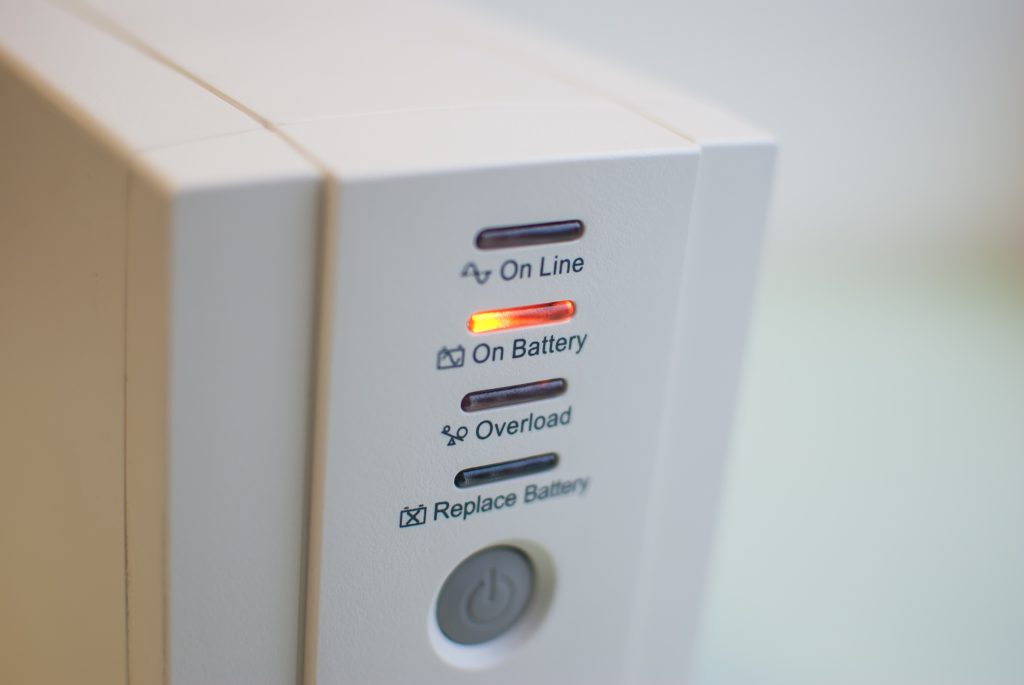
Modern UPS systems have indicators or software that show the status of the battery. Make a habit of checking it every month.
Look for:
- Battery charge level
- Any warning lights or error codes
- Unusual noises or smells
If something doesn’t look right, check the user manual or contact the manufacturer.
Pro Tip: Use monitoring software if your UPS supports it. This gives you detailed reports and alerts.
3. Run Regular Load Tests
Even if your battery shows 100% charge, that doesn’t mean it will hold up during a power outage. That’s why load testing is so important.
A load test checks how the battery performs under real power load.
How to do it:
- Unplug the UPS from the wall (simulate a power outage).
- Let it run the connected devices for a few minutes.
- Check if it performs as expected.
Do this every 3 to 6 months to make sure the battery can still deliver power when needed.
4. Avoid Deep Discharges
A deep discharge means draining the battery completely before recharging. This puts a lot of stress on the battery and shortens its life.
Try to keep your battery’s charge level above 20% whenever possible.
Some UPS systems let you set a cutoff level to prevent deep discharges. Check your UPS settings or ask your provider for help.
5. Don’t Overload the UPS
Every UPS has a maximum load it can support. If you connect too many devices, it will strain the battery and reduce its lifespan.
What you should do:
- Know your UPS’s wattage or VA (volt-ampere) rating.
- Only connect essential devices.
- Use power strips with surge protection for extra safety.
Right Power Technology provides clear load guidelines for each UPS battery they sell, so you know how much it can handle.
6. Clean the Battery Area
Dust, dirt, and moisture can affect the performance of your UPS battery.
Keep the area clean:
- Wipe down the UPS unit with a dry cloth every month.
- Keep the battery terminals clean and free of corrosion.
- Make sure there are no spills or leaks nearby.
If your battery shows signs of corrosion, it may need to be cleaned with baking soda and water (only if it’s safe to do so, check the manual first).
7. Replace Batteries in Sets
If your UPS uses more than one battery, it’s best to replace all the batteries at once. Mixing old and new batteries can cause performance issues and reduce the lifespan of the new ones.
Right Power Technology offers full replacement kits for their UPS systems to make this process easy and cost-effective.
8. Follow the Manufacturer’s Guidelines
Each UPS battery is a little different. Always read the manual and follow the maintenance advice from the manufacturer.
Pay attention to:
- Storage temperatures
- Charging cycles
- Service schedules
If you have questions, reach out to the customer support team.
9. Store Spare Batteries Properly
If you keep extra batteries on hand, make sure they are stored the right way.
Proper storage tips:
- Keep in a cool, dry place.
- Charge them every 6 months if unused.
- Avoid stacking heavy objects on top.
Stored batteries can still lose charge over time, so check them regularly.
10. Schedule Professional Maintenance
Even if you follow all the tips above, it’s still a good idea to have a professional inspect your UPS battery once a year.
Professionals can:
- Test battery performance
- Check for hidden faults
- Replace worn-out parts
- Update software and settings
Right Power Technology offers maintenance services along with their UPS battery products, so you get expert help whenever needed.
How Long Should a UPS Battery Last?
The lifespan of a UPS battery depends on:
- Battery type (VRLA, lithium-ion, etc.)
- Operating temperature
- Number of charge/discharge cycles
- Quality of the battery
- How well it’s maintained
Here’s a general guide:
| Battery Type | Typical Lifespan |
| VRLA Battery | 3-5 years |
| Lithium-ion | 5-10 years |
| Flooded Lead-Acid | 10+ years (with proper care) |
With proper maintenance, you can get the full lifespan out of your UPS battery and maybe even more.
Conclusion
A UPS system is your safety net during power outages but it’s the UPS battery that keeps it running. Taking care of your battery with regular checks and maintenance will save you time, stress, and money.
To recap, here’s what you should do:
- Keep it cool and clean
- Avoid deep discharges
- Run load tests
- Don’t overload the UPS
- Follow the manufacturer’s advice
And when you need a new battery, or expert support, Right Power Technology has the high-quality UPS batteries you can trust.
Make your backup power system stronger today with the right battery and the right care.
Find more about: Why Lithium Ion UPS Is The Best Choice For Energy Conscious Companies